
Pages
Organize the pages of a PDF
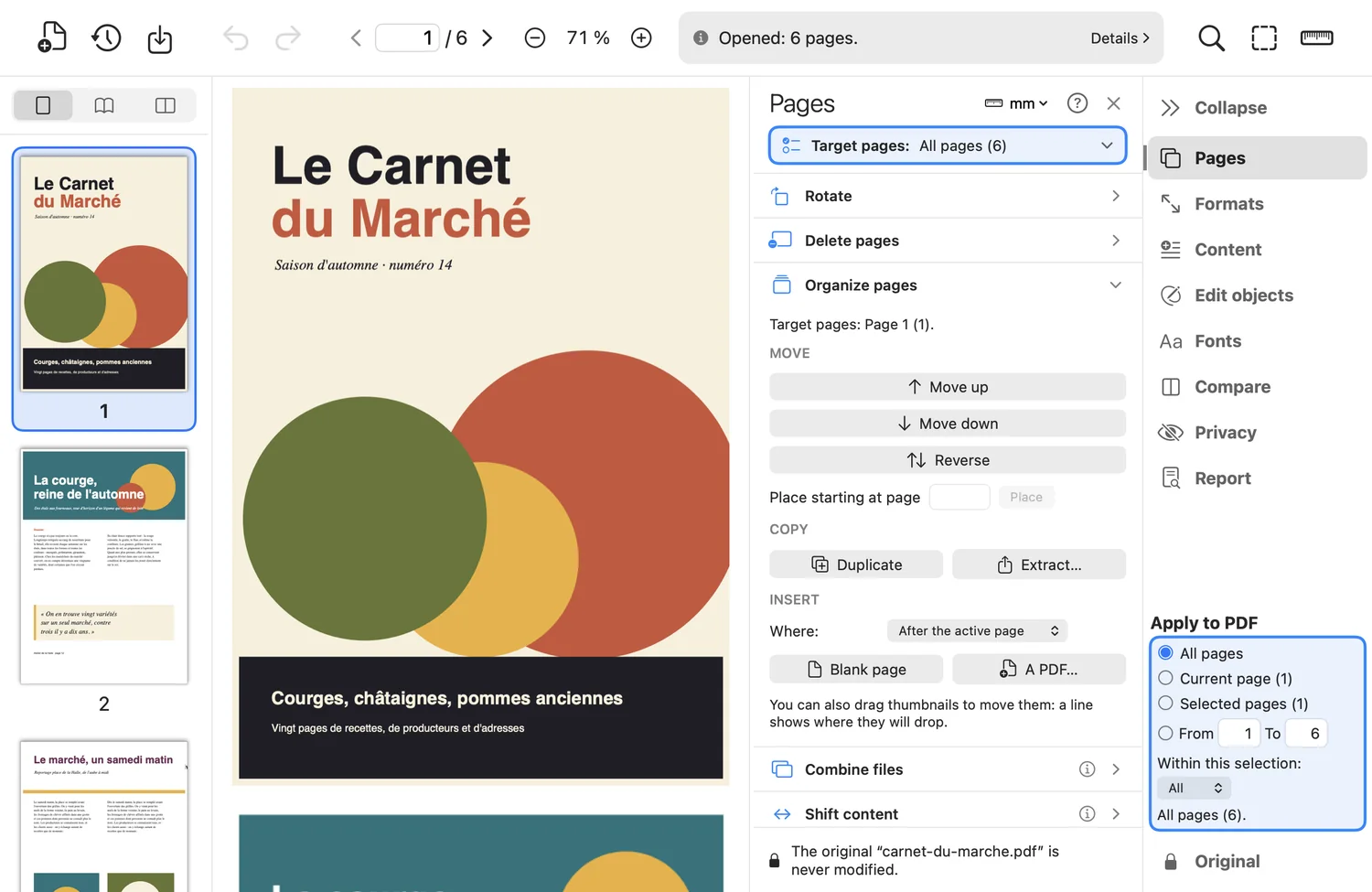
Put a document back in order without reopening it in your layout software: rotate, remove, move, copy or add pages in a few clicks, on the thumbnail selection of your choice.
What the tool does
- Rotate by 90° left, 90° right or 180°: only the page rotation changes, the content is untouched.
- Delete the targeted pages, or “blank pages only” (no drawing, text, image or annotation). The document always keeps at least one page.
- Move: up, down, reverse, place from a page number, or drag the thumbnails (a line shows where they will land).
- Copy: duplicate pages (the copy is independent), or extract them into a new PDF without touching the open document.
- Insert a blank page the size of the neighbouring page, or all the pages of another PDF, at the start, before, after or at the end.
Good to know
- Each action creates a version: “Undo” reverts it, and the original is only overwritten if you decide so.
- The links of copied pages are kept; form fields are not.
Where to find it in the app : Pages tab · Rotate, Delete pages, Organize pages