Pages
See, measure and set the page boxes
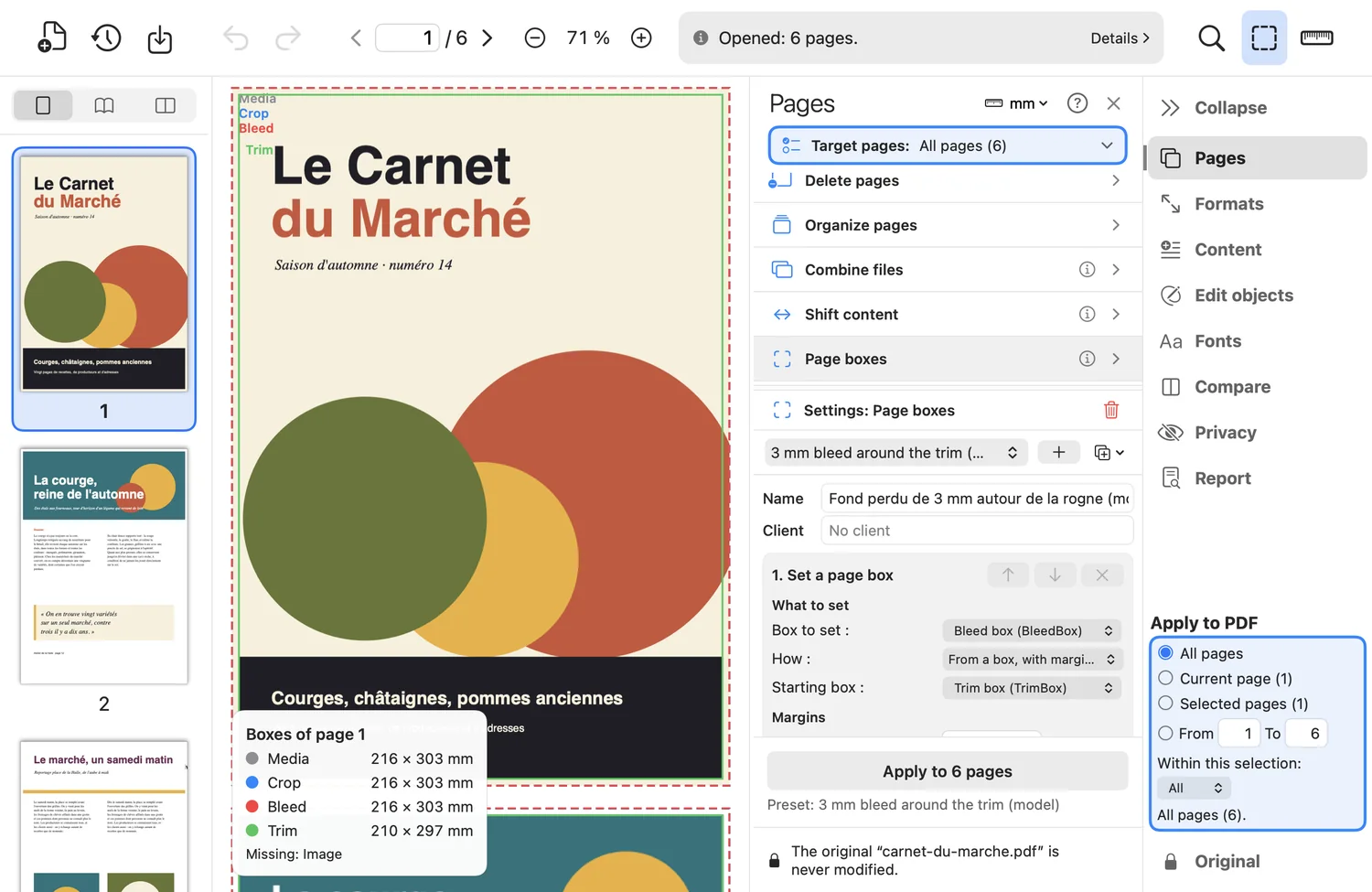
A print PDF depends on its five page boxes. PDF-Paddock draws them on the page, measures what you want, and lets you set one from another, with margins.
What the tool does
- Boxes draws the boxes on the page: media in gray, crop in blue, bleed in red, trim in green, art in purple, with their sizes in your unit.
- Measure: drag a line on the page and read the distance, Δx and Δy (Shift: straight line).
- Set a box from another box with margins, from the drawn content, at a fixed centered size, or remove it. Mirror option on even pages for binding.
- Shift the content by x and y without touching the boxes; links follow; mirror on even pages for a binding margin.
Good to know
- Warnings are stated: empty box ignored, box exceeding the media box, media box cannot be removed.
Where to find it in the app : Pages tab · Page boxes, Shift content; toolbar · Boxes, Measure