Content
Add text, images, links, watermarks and footers
Complete a PDF without going back to the source file: text placed with the mouse, a framed image, a clickable link, a page number or a watermark on the pages you target.
What the tool does
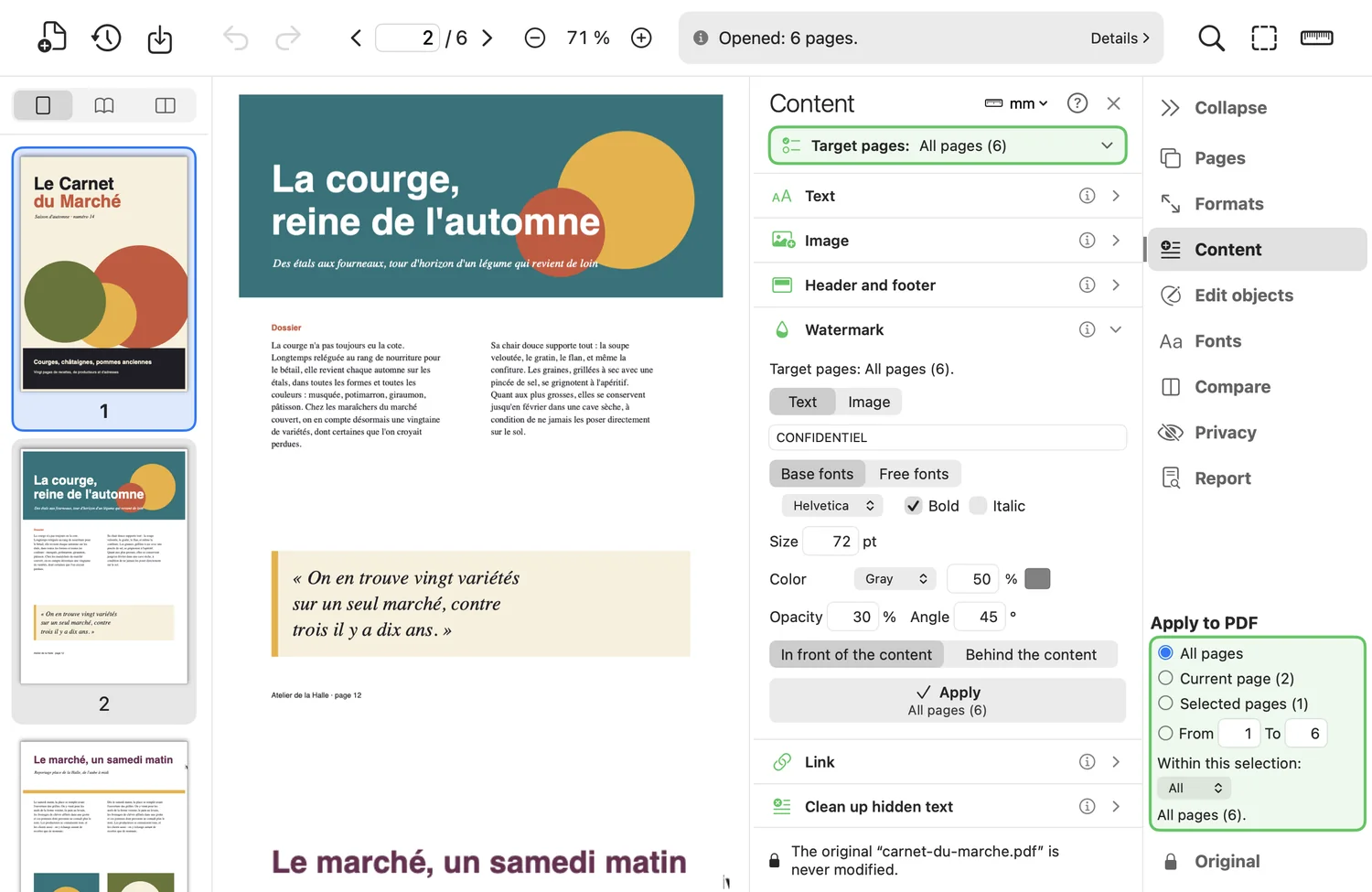
- Text: font, size and color, one click on the page. Base fonts or free fonts (with preview); the text stays readable and searchable.
- Image (JPEG, PNG, TIFF…) dragged into a frame, proportions kept; a gray or RGB JPEG is kept as is, without recompression.
- Link to a web address or a page of the document; the list of existing links is shown on the page and can be removed.
- Header and footer: six zones, with
{page},{pages},{date}and{fichier}, on the targeted pages. - Watermark text or image, rotated (45° by default), adjustable opacity (30 % by default), in front of or behind the content.
Good to know
- Rotated pages are understood: everything is placed the way you see the page.
- Added text becomes an object like any other: “Edit objects” moves, recolors and corrects it.
Where to find it in the app : Content tab