Report
Check a PDF before printing and fix it
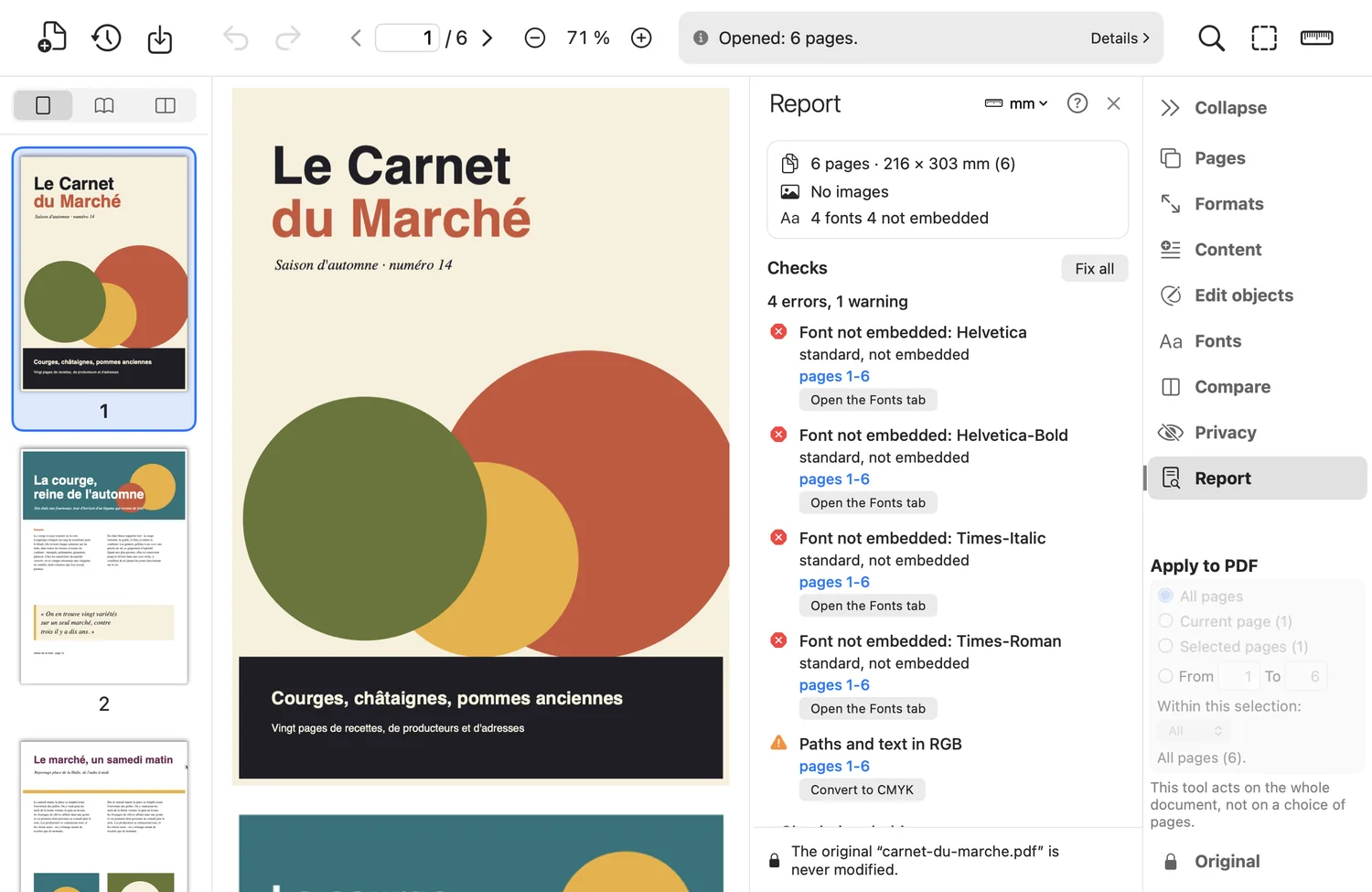
The report analyzes the document and lists findings, from most to least serious. A check never modifies the file; corrections apply to a copy.
What the tool does
- Errors: non-embedded font, page with no media box.
- Warnings: images under or over the resolution thresholds (150 and 600 ppi by default), RGB images, no trim box, insufficient or missing bleed, inconsistent boxes, blank pages, scripts, attachments, unreadable content.
- Information: several page sizes, transparency present.
- Fix all applies the proposed corrections in one go: trim box, boxes, blank pages, scripts, attachments, resolution too high.
Good to know
- The thresholds (minimum and maximum resolution, required bleed, RGB images) are adjustable; they are guides, not standards.
- No correction on purpose for resolution that is too low: pixels cannot be invented.
Where to find it in the app : Report tab