Privacy
Clean up the hidden text of a PDF
A PDF can carry text you cannot see: that of an old issue under a placed logo, text off the page. Copy-paste or extraction picks it up. PDF-Paddock removes it, without changing the look of the pages.
What the tool does
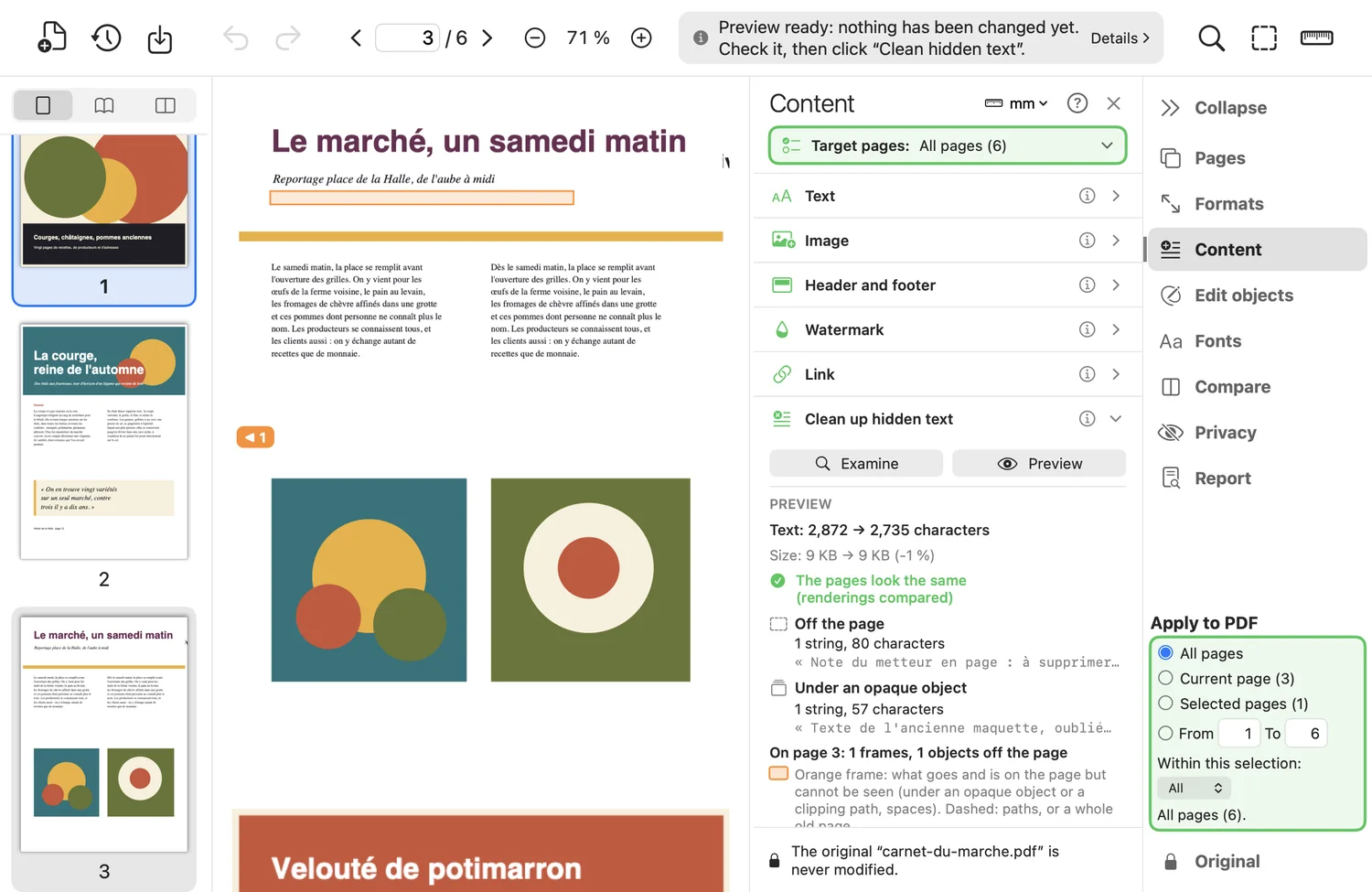
- Removes text off the page, hidden under a clipping or under an opaque object, hidden paths, images and groups, lone strings of spaces, resources the page no longer cites.
- Examine counts without changing anything.
- Preview cleans up as a dry run in a temporary file: it shows what would go, by cause, with examples; an orange frame on each invisible block; a badge on the page edge for what is off the page; the before/after comparison; the text that would remain.
- Nothing changes until you click “Clean up hidden text”; “Close the preview” abandons it.
Good to know
- Never removed: white text on a dark background, text that clips a visible image, a scan's text-recognition layer.
- “Also unreadable text” removes text under 2 pt: the look then changes slightly. A visible group containing text is not explored, and the report says so.
Where to find it in the app : Content tab · Clean up hidden text
Step-by-step guide : Clean up the hidden text of a PDF